Personal · example account
Current balance
€15,420
+€640 since 1 Aug
This month
€1,204 left- Spent
- €2,146
- Planned
- €550
- Income
- €3,900
Upcoming
- · Electricity
- €120
- · Phone
- €30
- · Savings
- €400
Manual-first personal finance
Track balances, activity, and debts inside one financial context. Premium adds budgets and forecasts. No bank connection required.
Free plan available. No credit card required.
Current balance
€15,420
+€640 since 1 Aug
Example values. Each account stays separate.
Manual first
You decide what gets recorded
15 currencies
Every EU currency, plus GBP, CHF, NOK, ISK, USD, CAD, AUD, JPY
Free forever
Unlimited income and expense records
Export included
Keep a portable copy of your data
Rinalance keeps each financial context separate, then gives you the records, charts, and planning tools needed to understand it.
Organize cards, cash, bank balances, and investments inside the account they belong to.
Record income, expenses, and transfers. Review trends without maintaining formulas in a spreadsheet.
Track Scheduled Activity and debts. Premium adds monthly budgets that do not roll over.
Download a complete versioned export with CSV files on either plan.
No bank connection is required. Set up one financial context, add its balances, and record money as it moves.
Keep Personal, Business, or another financial context separate.
Set up the cards, cash, savings, and investments you want to track.
Log income, expenses, and transfers against the right balance.
Use charts and statistics to check spending and balance movement.
One selected account at a time, with its balances, recurring commitments, and what changed since last month.
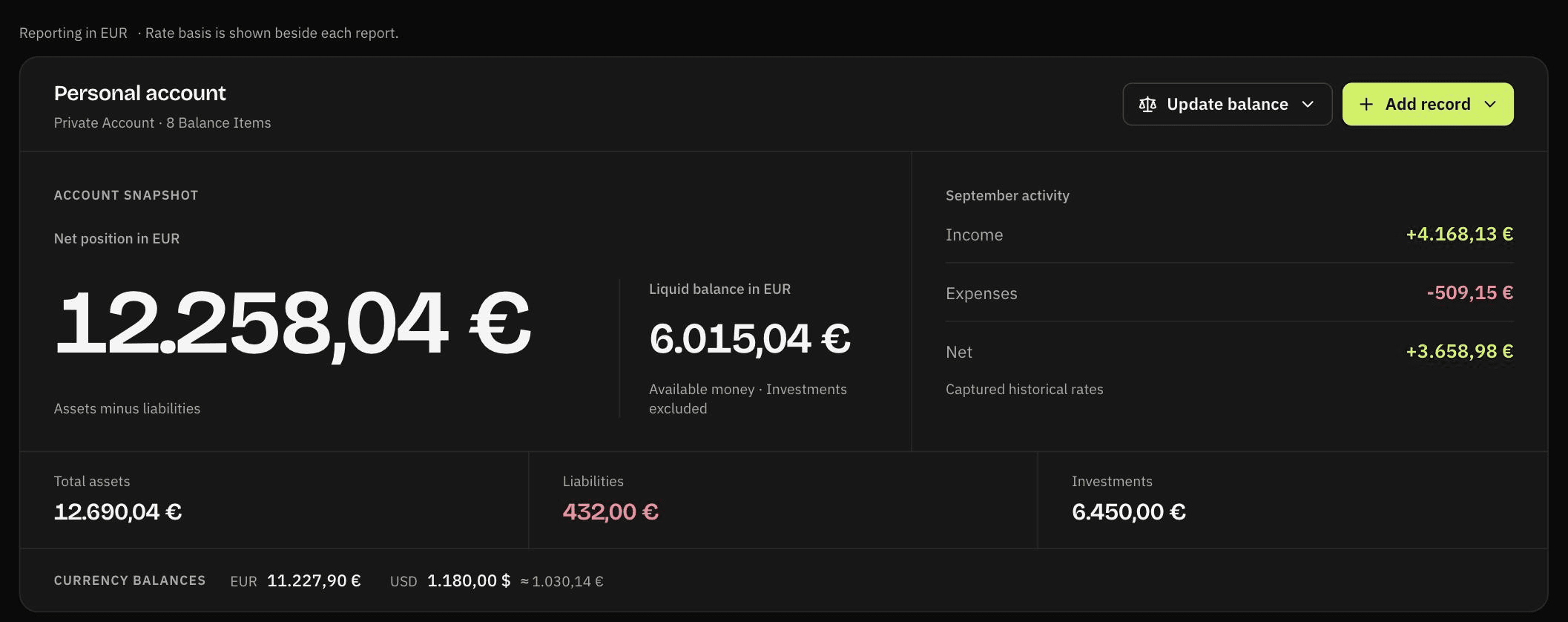
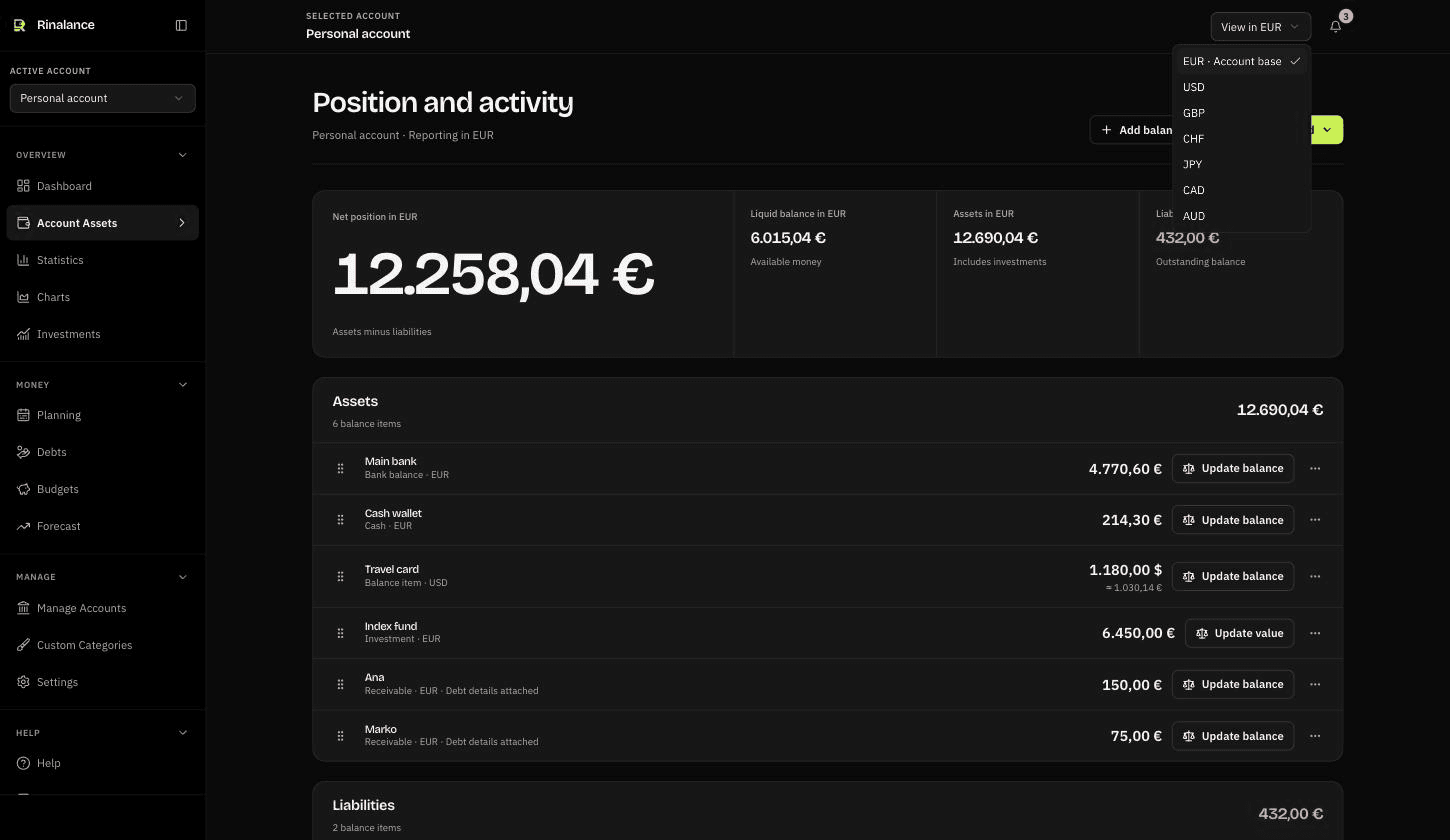
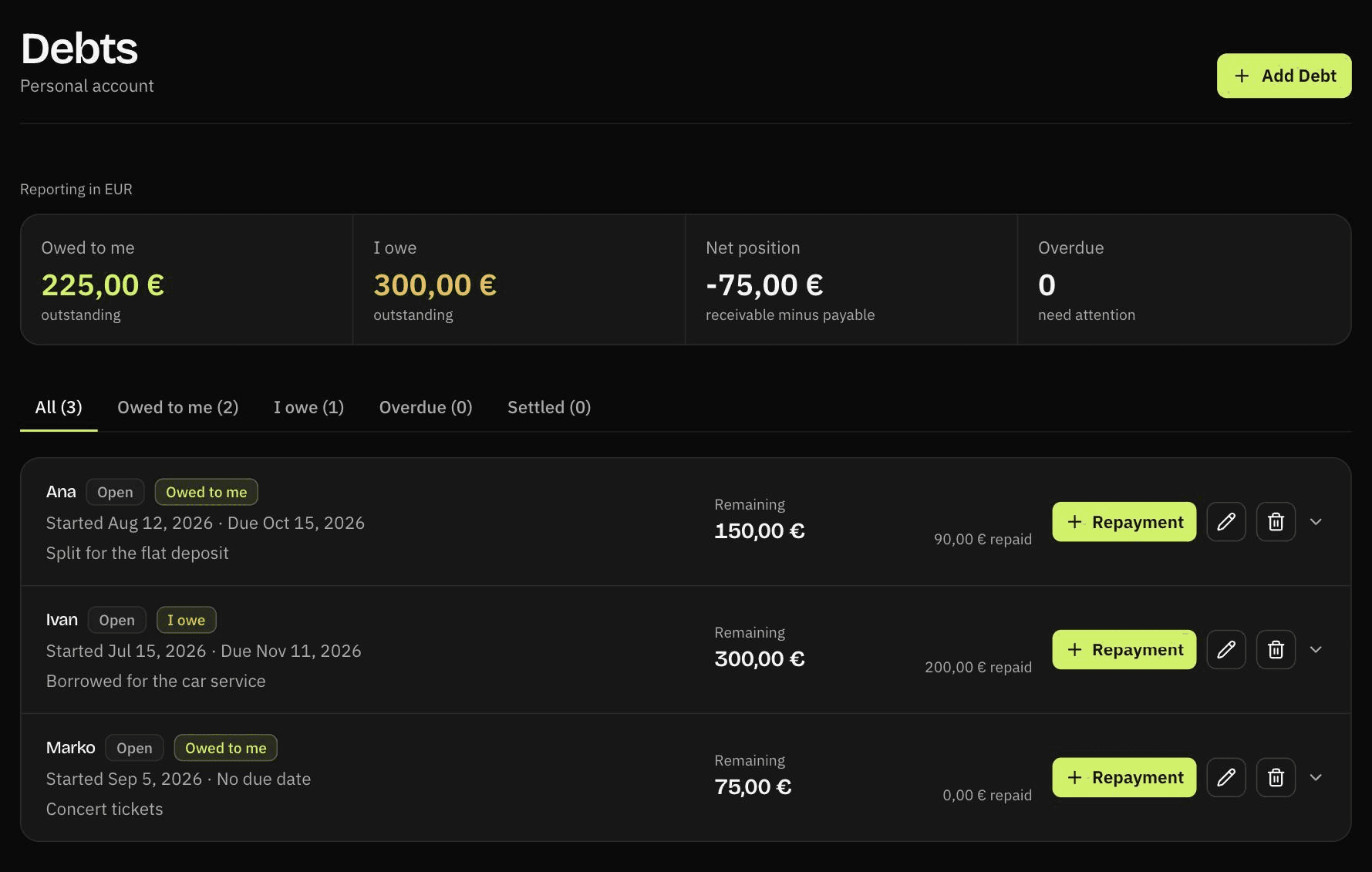
Manual records, charts, multi-currency support, and export stay available on the Free plan.
For focused personal tracking.
For more accounts and planning tools.
Use Rinalance when you want a clear manual system without turning personal finance into bookkeeping.
Track spending without handing over a bank login. You enter what you choose, export it whenever you want, and can delete the account and its data.
Explore this use caseTrack balances in fifteen currencies, including every EU currency, inside one selected account. Each balance item keeps its own currency, with current positions shown in the account's reporting currency.
Explore this use caseKeep freelance income in its own financial context, separate from household money, and plan against it when the amount changes every month.
Explore this use caseEach one runs in your browser. Try the numbers first, then decide whether you want to track them.
Convert monthly, quarterly, and yearly subscription prices into one estimated monthly and annual total.
Open calculatorAdd balances held in different currencies, subtract what you owe, and read one net worth figure in the currency you choose.
Open calculatorCompare the snowball and avalanche methods on your own debts, with total interest and payoff time for each.
Open calculatorWork out how large an emergency fund you need from your own essential monthly costs, and how long the gap would take to close.
Open calculatorFind the rate you need to charge to hit a target income, based on billable hours rather than every hour you work.
Open calculatorSee how Rinalance differs from YNAB, Monarch, Goodbudget, Actual Budget, and a spreadsheet, including when each one is the better choice.
Read the comparisonsRinalance is a manual personal finance tracker. It is not a bank, broker, or tax product.
No. Rinalance is manual first. You add balances and records yourself, so you decide what financial data enters the product.
Yes. The Free plan includes 2 accounts, 5 balance items per account, 5 Scheduled Activity items with manual confirmation, unlimited manual records, charts, statistics, multi-currency support, and complete versioned export.
No. Each account is a separate financial context. You switch between them instead of mixing Personal, Business, and other money into one dashboard.
Yes. Both plans can download a complete versioned JSON export with CSV files in a ZIP archive.
Create a free account, set up one financial context, and start with the balances you already know.