Recurring costs, counted properly
Recurring expense tracker for subscriptions
Track subscriptions, recurring bills, and income in one schedule, see what falls due in the next seven days, and confirm variable amounts before they post.
Last updated 2026-09-24
Recurring charges are the hardest spending to see clearly, for a structural reason: they are individually small, they arrive on different days, and they are billed on different cycles. Nine euros here, a yearly renewal there, something quarterly you set up eighteen months ago and have not thought about since.
No single charge is worth attention. The total almost always is.
One schedule for everything that repeats
In Rinalance, subscriptions, recurring bills, and regular income all live in Planning. Each schedule has an amount, a category, a frequency such as weekly, monthly, quarterly, or yearly, the balance it is paid from, and the date it next falls due.
Keeping them in one list matters more than it sounds. A €10.99 monthly service, a €39 quarterly one, and an €18 yearly renewal sit next to the salary that pays for them, so the shape of the month is in one place instead of scattered across emails and card statements.
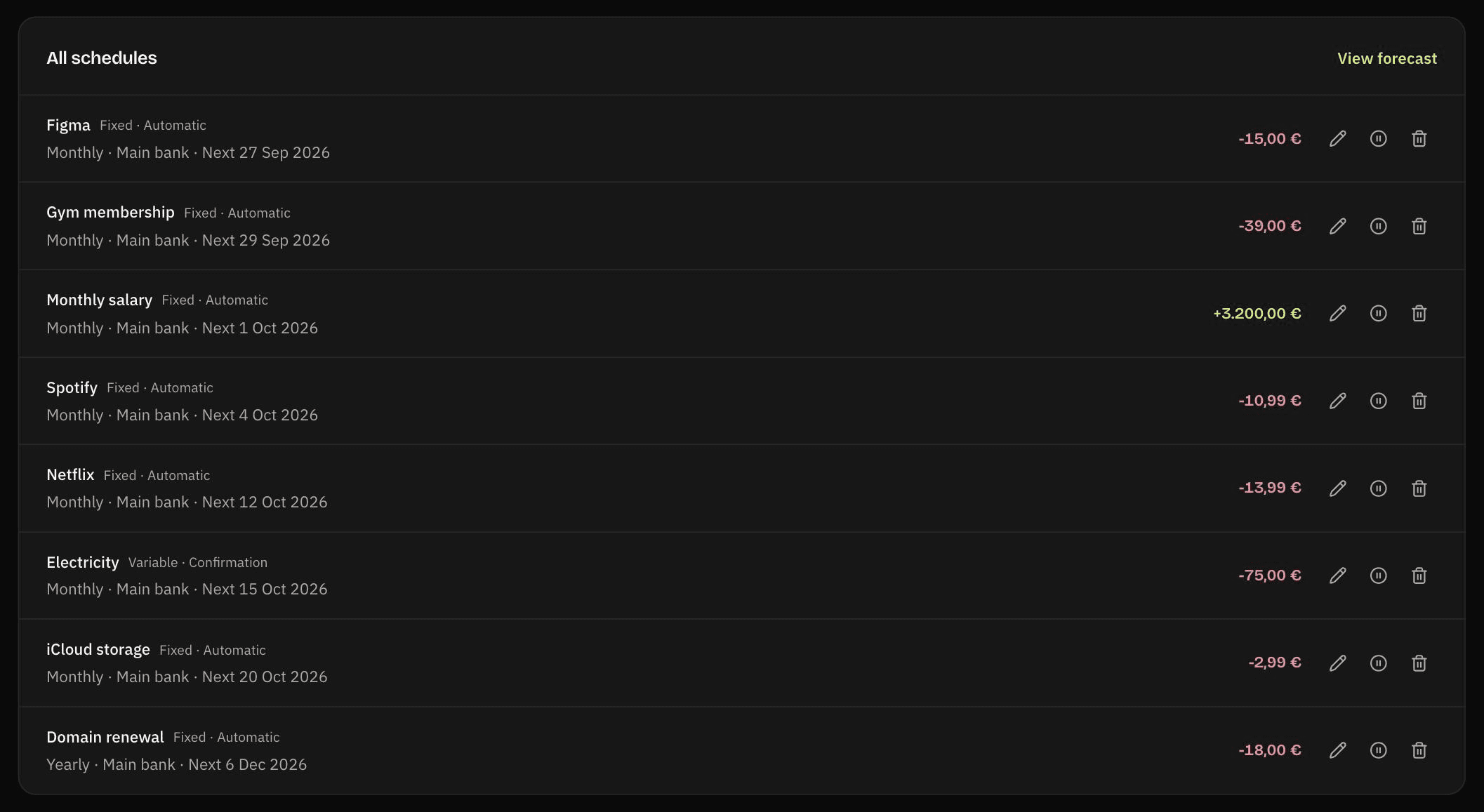
What falls due next
The dashboard shows the next seven days of scheduled activity and flags anything overdue. Reminders arrive in the app before a due date, three days ahead unless you change it. On Premium you can turn on email reminders as well.
The same dashboard panel gives an estimated monthly net across every active schedule. Weekly items count four times, quarterly ones a third, yearly ones a twelfth, and income is set against the costs, so mixed billing cycles land on one comparable figure.
Planning also has a calendar. Pick a date and it shows what is scheduled for that day.
Fixed and variable amounts
Some charges never change. Others, like electricity, arrive at a different amount every month, and Rinalance treats the two differently.
A fixed schedule has the same amount each time. On Premium it can post automatically on its date, so the balance stays accurate without anything to type.
A variable schedule waits for you. When it falls due it appears under Needs confirmation, where you enter the real amount or skip that occurrence. Until you do, it stays overdue, so an estimate never quietly turns into a record.
Running an audit
The point of tracking is to make a decision, and the decision here is usually which subscriptions to keep. A workable pass, once or twice a year:
- List every recurring charge, including annual ones. Annual subscriptions are the ones people forget, and they are usually the largest.
- Convert everything to a monthly figure so the comparison is honest.
- Sort by annual cost, not monthly. A €4 monthly service is €48 a year, which reads differently.
- For each, ask when you last used it — not whether you might.
- Cancel, then remove it from the list. A tracker only stays useful if it stays true.
For the arithmetic alone there is a free subscription cost calculator that needs no account, no signup, and no data leaving your browser. Use that if all you want is the number.
The limits
Nothing is detected for you. There is no bank connection on any plan, so the schedules are the ones you add. Rinalance will not find a forgotten charge you never told it about — the audit above is the substitute, and it is the part that requires you.
It cannot cancel anything. No service does this reliably, and the ones that claim to are asking for account access to do it.
The Free plan includes five schedules, confirmed by hand. Subscriptions, bills, and income share that limit. Premium, at €4.99 per month, removes the limit and lets fixed amounts post automatically — which is itself a subscription, and by the logic of this page you should include it in your total and decide accordingly.
What this does not do
- Subscriptions are entered by hand; nothing is detected from a bank feed.
- Rinalance cannot cancel a subscription for you.
- The Free plan includes five schedules, confirmed by hand.